Masters Module
The Masters module is the foundation of C Store. Before posting any transactions, all master records must be configured. These records define the products you sell, the infrastructure you operate, and the parties you deal with.
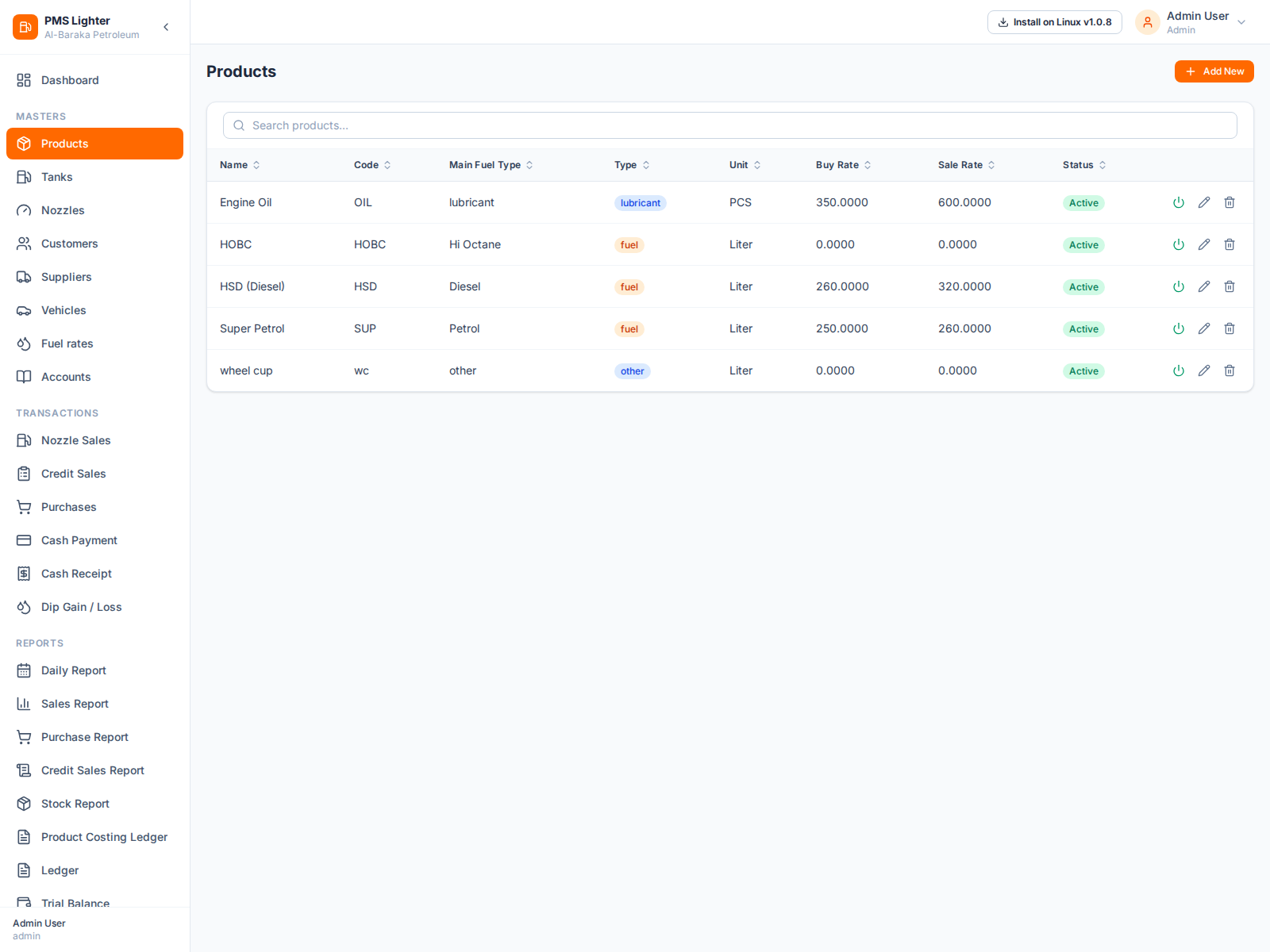
Products
Products define the types of fuel and non-fuel items sold at your station. Each product has:
- Name and Code — unique identifiers
- Type — Fuel or Non-Fuel
- Main Fuel Type — Diesel, Petrol, Hi Octane, Altron-X, CNG (for fuel products)
- Purchase Rate and Sale Rate — current pricing used in transactions
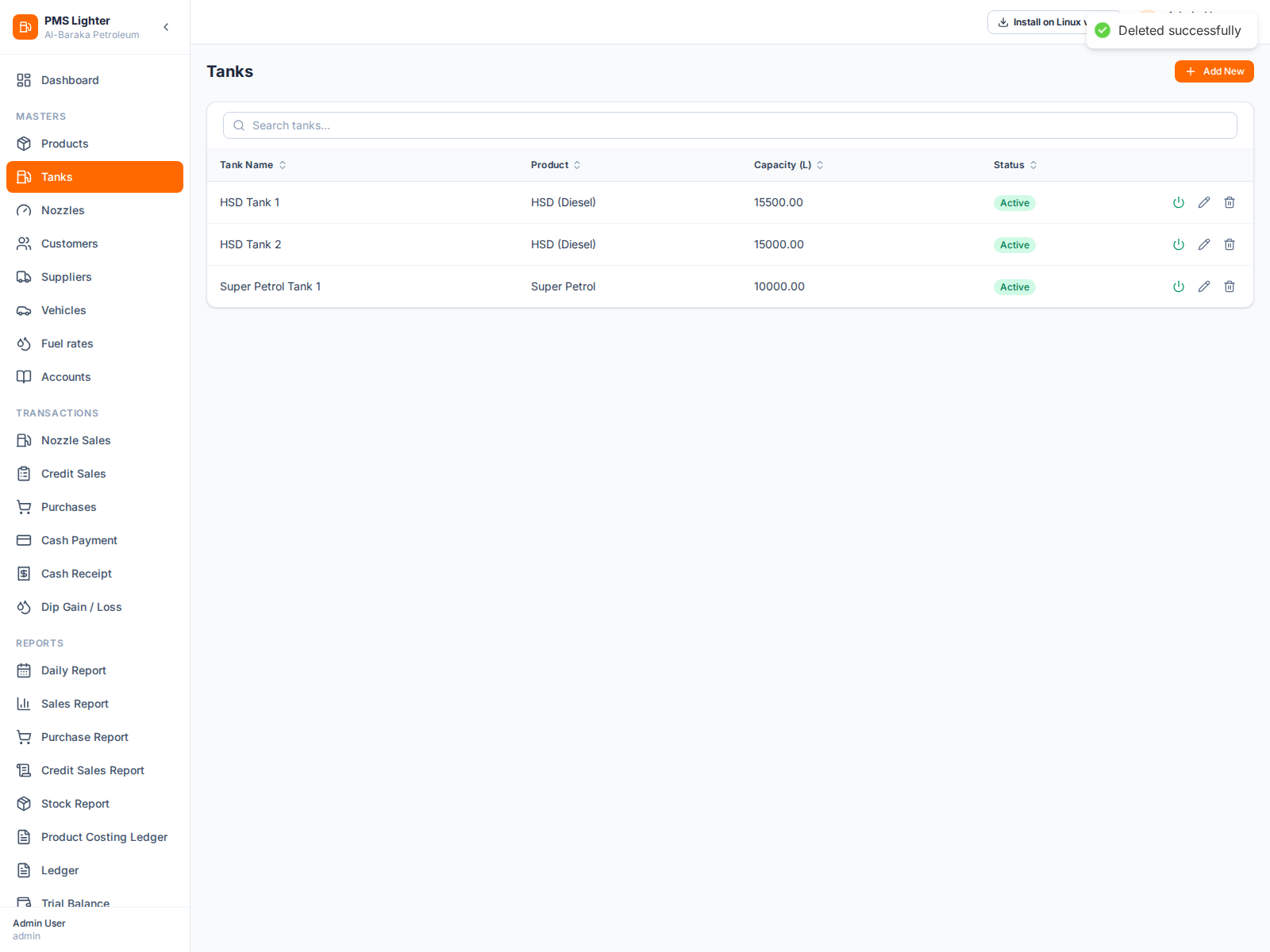
Tanks
Tanks store the fuel stock at your station. Each tank is linked to a product and tracks:
- Capacity (Liters) — total volume the tank can hold
- Current Stock — maintained automatically via purchases and sales
- Product Link — determines which product this tank holds
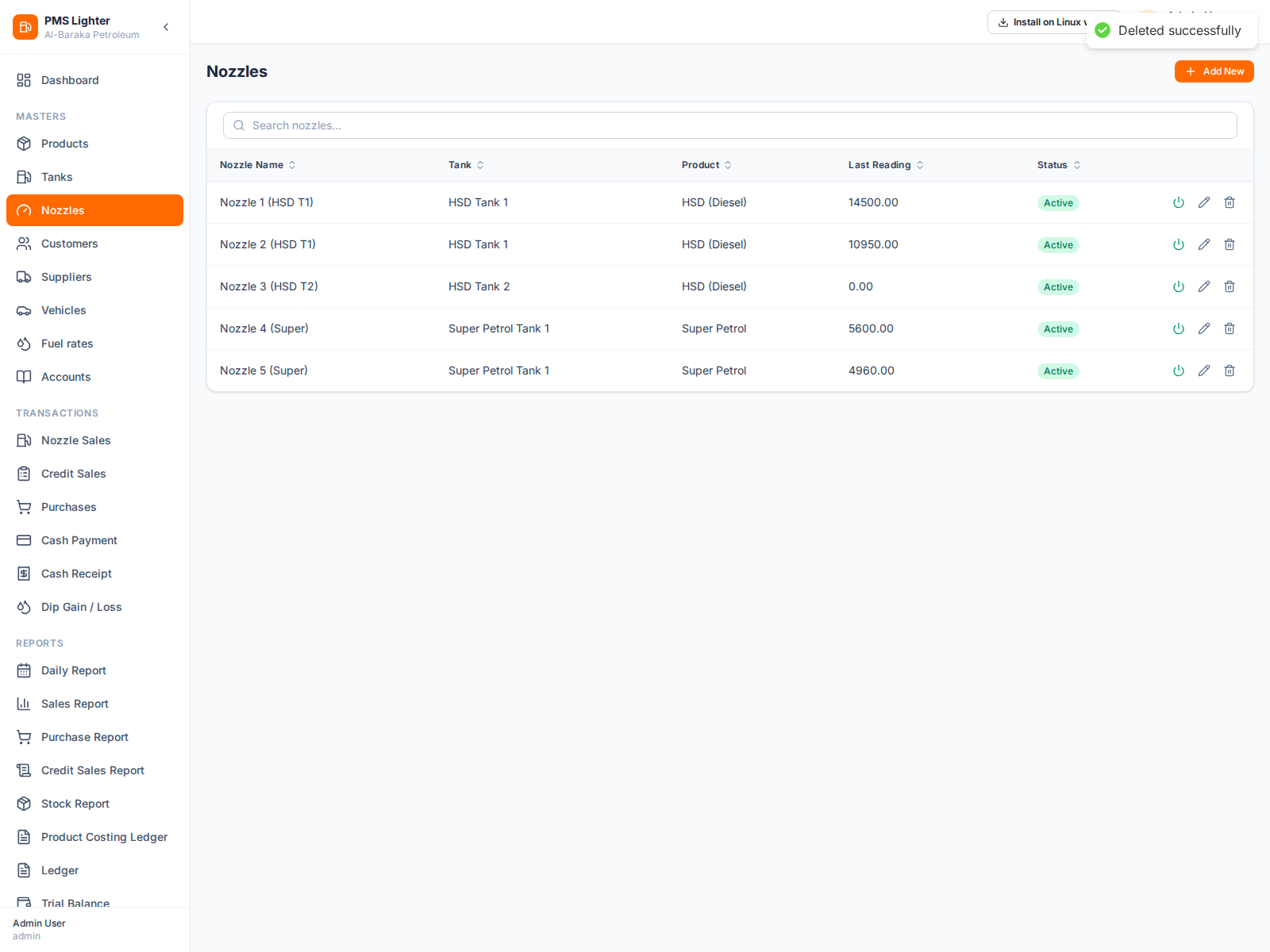
Nozzles
Nozzles are the dispensing points linked to tanks. Each nozzle tracks:
- Last Meter Reading — used to calculate net liters sold per shift
- Tank — determines which stock pool is consumed
Customers
Customers are credit account holders who receive fuel without immediate cash payment. Each customer has:
- Credit Limit — maximum outstanding balance allowed
- Opening Balance — existing balance at system setup (Dr/Cr)
- Linked Vehicles — vehicles associated with this customer for credit sales
Suppliers
Suppliers are fuel companies or distributors from whom you purchase fuel. Each supplier:
- Has a payable ledger account maintained automatically
- Tracks opening balance and payment history
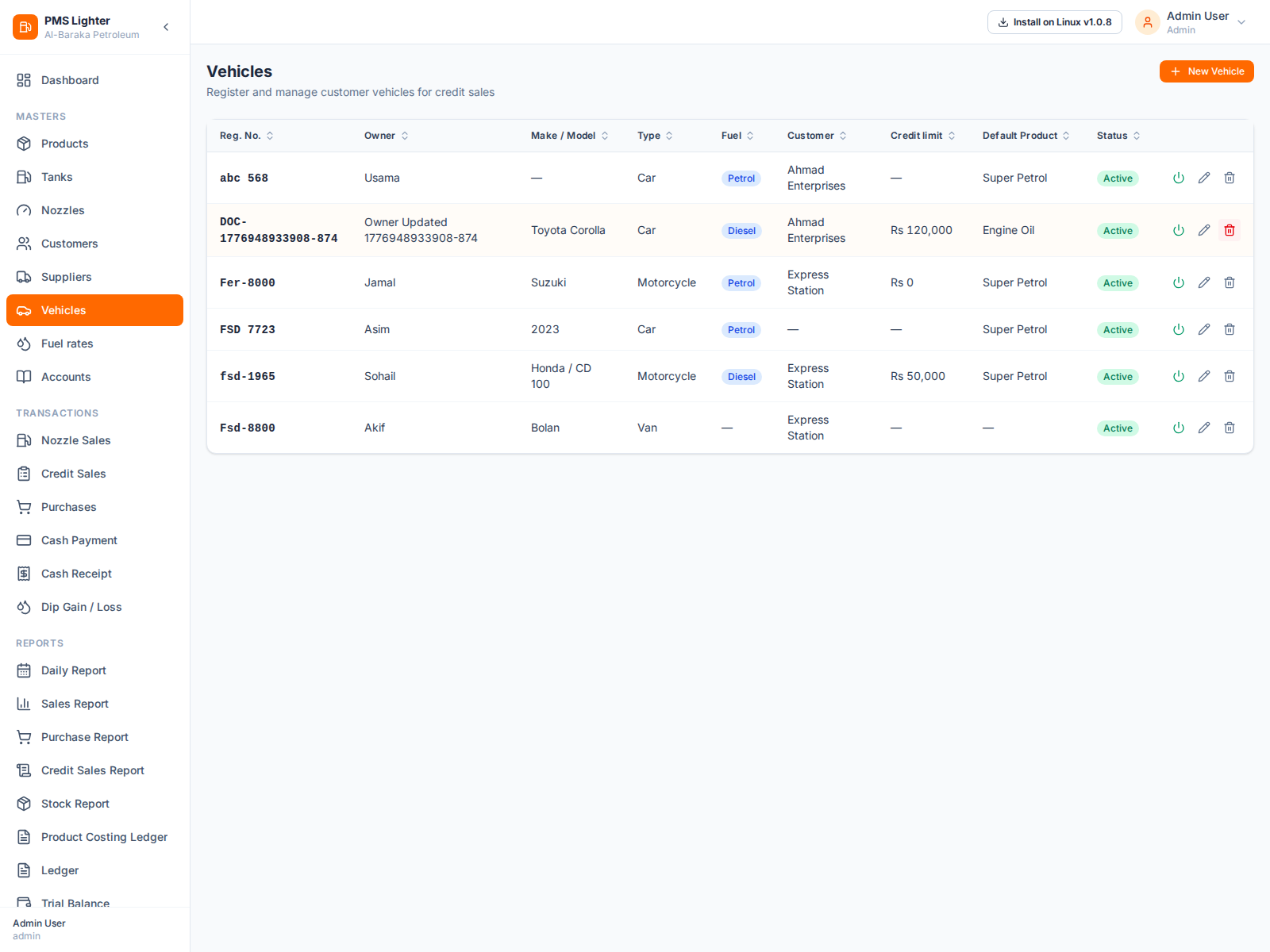
Vehicles
Vehicles belong to customers and are used in credit sales. Each vehicle record includes:
- Registration Number — unique vehicle identifier
- Owner Name — vehicle owner or operator
- Fuel Type — default fuel for this vehicle
- Default Product — auto-filled in credit sale forms
- Credit Limit — per-vehicle outstanding cap
For screen-level operating procedures, visit the Screen Guides section.